Why AI Agents Need Their Own Operating System
Most AI agents are chat interfaces with API integrations. Here's why giving each agent a full isolated computer changes everything for production.
When most people hear "AI agent," they picture a chatbot that can call APIs. Send an email. Query a database. Maybe search the web. And that's exactly what most AI agent platforms deliver - a language model wired to a handful of predefined actions through tool-calling interfaces.
It works for demos. It falls apart for real work.
The reason is subtle but fundamental: real work doesn't fit into predefined actions. Real work is messy, unpredictable, and deeply dependent on environment. It involves logging into web apps that don't have APIs, filling out forms that change monthly, processing spreadsheets with inconsistent formatting, debugging code across multiple files, installing tools on the fly, and adapting to situations nobody anticipated when designing the system.
Try doing any of that with a chatbot that can call five APIs.
We spent months trying to make the API-calling approach work before accepting the obvious conclusion: if you want an AI agent to do the kind of work a human does, you need to give it what a human has. Not a list of functions to call - a computer to work on.
The Gap Nobody Talks About
There's a pattern in AI agent demos that's worth examining honestly.
Someone shows an agent booking a flight, filling out a form, or navigating a website. It looks magical. The audience is impressed. Twitter goes wild. But behind the curtain, these demos typically run on carefully choreographed flows - hardcoded selectors, known page layouts, pre-tested happy paths.
The gap between what works on stage and what works at 3 AM on a Tuesday, unattended, with real data, is enormous:
| Demo Reality | Production Reality |
|---|---|
| Single, controlled environment | Multiple apps, varied UIs that update without warning |
| Happy path only | Edge cases are the majority of cases |
| No security concerns | Credentials, PII, compliance requirements |
| One-shot execution | Runs daily, must be reliable across weeks and months |
| Human watching and ready to intervene | Fully autonomous, nobody looking over its shoulder |
| Known data formats | Messy, inconsistent, occasionally corrupt real-world data |
This gap isn't something you can bridge with a better prompt or a fancier model. Better prompts help the brain. But the brain isn't the bottleneck - the body is. Without real infrastructure to operate in, even the smartest model is limited to whatever actions were pre-wired into its tool-calling interface.
Bridging this gap requires a fundamentally different approach to what "running an agent" means. It requires infrastructure.
What "Having a Computer" Actually Means
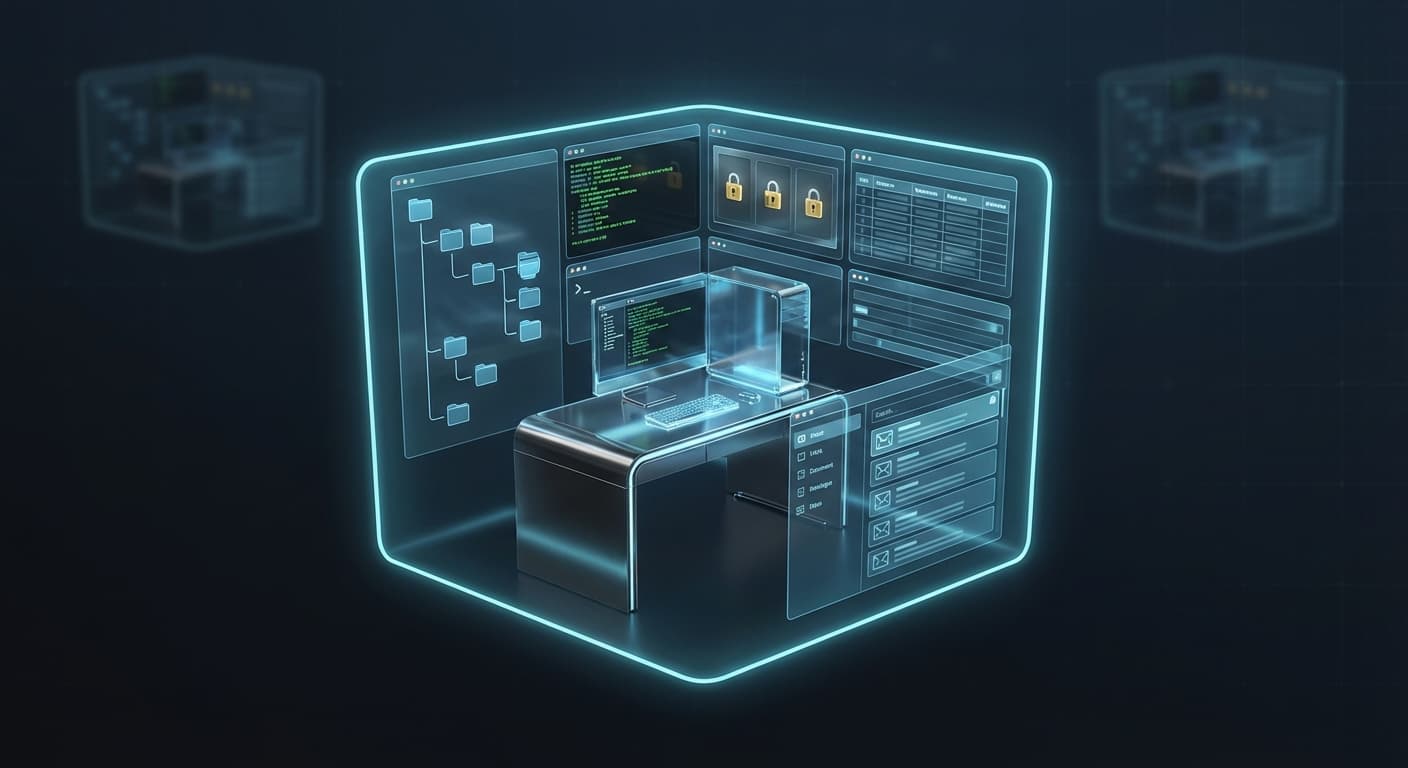
When we say each Communa agent has its own operating system, we mean it literally. Not metaphorically, not "sort of" - literally. Each agent runs in a fully isolated sandbox with a complete computing environment.
Here's what that includes:
A real desktop environment. Not a simulated browser widget, but a full graphical environment where the agent can interact with any application - web browsers, desktop apps, custom tools. If a human could use it on their computer, the agent can use it on its computer.
Unrestricted terminal access. The agent has a full shell. It can install packages, run scripts in any language, pipe commands, manage processes, and build whatever toolchain the task requires. No pre-approved list of commands. No sandbox restrictions on what can be executed.
A persistent file system. The agent reads files, writes files, organizes directories, and processes data just like you would on your own machine. Files persist across sessions. The agent's workspace is its workspace - it doesn't start from scratch every time.
A credential vault. Encrypted secrets that the agent can use to authenticate with services, log into applications, and access protected resources - without the LLM ever seeing the raw values. The model knows that credentials exist and can use them, but the actual passwords, API keys, and tokens are injected at runtime by the platform.
A structured database. Not just file storage, but proper relational data. The agent can store extracted information, maintain state across runs, query historical data, and build up institutional knowledge over time.
Its own email address. Each agent gets a dedicated inbox. It can receive tasks via email, process attachments, and send results. This turns email - still the dominant communication channel in business - into a native input/output channel for the agent.
Communication channels. Telegram, WhatsApp, and other messaging platforms connected directly to the agent. Customers or team members can interact with the agent through the channels they already use.
This isn't a feature list designed to look impressive on a landing page. It's the minimum viable infrastructure for an agent that can handle the kind of work humans actually do. Remove any one of these components and you immediately constrain the range of tasks the agent can handle.
The API-Calling Model vs. The Computer Model
To understand why the computer model is different, it helps to see the constraints of the API-calling approach more clearly.
In a traditional AI agent setup, the agent's capabilities are explicitly defined by its tool list. Want the agent to send emails? Write an email tool. Want it to read spreadsheets? Write a spreadsheet tool. Want it to log into a web app? Write a browser automation tool for that specific app.
This creates three problems that compound over time:
1. You become the bottleneck. Every new capability requires you to write, test, and maintain a new tool integration. The agent can't do anything you haven't explicitly enabled. Your development velocity directly limits the agent's capability.
2. Tool interfaces are inherently lossy. When you wrap a complex application in a simplified API, you lose nuance. A "search the web" tool returns text snippets, but a real browser shows layouts, images, interactive elements, and context that influence decision-making. The abstraction layer strips away information the agent might need.
3. Composition is fragile. Real tasks often require combining multiple tools in sequences that nobody anticipated. "Download the attachment from that email, open it in a spreadsheet, find the rows that match this criteria, format them into a report, and send it to these three people" - that's one task, but it touches five different tool categories. Pre-wired tool chains break the moment the task deviates from the expected sequence.
The computer model sidesteps all of these problems because the agent's capabilities aren't defined by a tool list - they're defined by what a computer can do. And a computer can do essentially anything.
Need to use a web app that doesn't have an API? Open it in the browser. Need to process a file format nobody anticipated? Install the right library. Need to combine three different workflows? Write a script that ties them together.
The agent's ceiling is the computer's ceiling, not the developer's foresight.
Why Isolation Is Non-Negotiable
Giving agents access to computing environments is necessary but not sufficient. Isolation is what makes it production-ready.
Imagine giving ten employees access to the same computer - same browser sessions, same file system, same credentials, same database. It would be chaos within minutes. Files overwritten. Sessions hijacked. Data mixed between tasks. Debugging would be impossible because you could never determine which employee caused which change.
The same applies to AI agents, and the consequences are actually worse because agents operate faster and more unpredictably than humans.
Without isolation:
- Agents interfere with each other's work. One agent's browser session conflicts with another's. File operations collide. Database writes create race conditions.
- Security boundaries dissolve. Agent A's credentials become accessible to Agent B. One compromised agent compromises everything.
- Debugging becomes forensics. When something goes wrong, you can't attribute the failure to a specific agent because they all share state.
- Failures cascade. One agent installing an incompatible package breaks the environment for every other agent sharing that system.
True isolation means each agent operates in its own world. Its files. Its database. Its credentials. Its browsing sessions. Its installed packages. Completely separate from every other agent and every other task.
This is also what makes multi-tenancy safe. When you're running agents for different customers, isolation isn't a nice-to-have - it's a legal and contractual requirement. Customer A's data must never be accessible to Customer B's agents, period. Shared environments make this guarantee impossible to enforce.
The Self-Evolving Agent
Here's where the computer model produces an outcome that's genuinely different from anything the API-calling approach can achieve: agents that improve their own capabilities without human intervention.
When an agent has a real computer, it doesn't just execute pre-defined tasks - it adapts and evolves its approach based on what it encounters.
It installs tools it needs. The agent encounters a CSV file with complex transformations needed? It installs pandas. A website needs scraping? It sets up Puppeteer. An image needs processing? It pulls in ImageMagick. The agent assesses the task, identifies what tools would help, and installs them - all within its isolated environment where it can't affect anything else.
It writes custom scripts. When no existing tool fits the job perfectly, the agent writes its own. Python scripts for data processing, bash pipelines for file manipulation, Node.js utilities for API integration. These scripts persist in the agent's file system and can be reused across future runs.
It creates and publishes reusable skills. When an agent develops an effective workflow for a recurring task, it can formalize that workflow as a skill - a documented, reusable set of instructions and scripts. Skills can be attached to other agents, creating a knowledge-sharing mechanism across your entire agent fleet. Agent A figures out how to process a complex report format; Agent B inherits that skill without having to figure it out from scratch.
It refines its own instructions. Through conversation with the user, an agent can update its own configuration - adjusting its approach, adding guardrails, incorporating feedback. The agent literally gets better at its job based on the results of previous runs and the feedback it receives.
This self-evolution is only possible because the agent has a persistent environment. A stateless function invocation starts from zero every time. An agent with its own computer builds on everything it's done before.
From One Agent to an AI Department
A single agent with a computer is useful. A coordinated team of specialized agents - each with their own environment, skills, and communication channels - is transformational.
Consider a practical scenario:
- Agent A monitors your inbox and triages incoming requests. Customer inquiries go to one queue, invoices go to another, meeting requests get auto-accepted and logged.
- Agent B picks up data extraction tasks from a queue. It opens attachments, processes them using its custom-built scripts, and stores structured results in its database.
- Agent C runs on a daily schedule. It pulls processed data from the shared project context, generates reports, and publishes them to a dashboard.
- Agent D handles customer communication on WhatsApp and Telegram. It answers common questions using the knowledge base Agent C maintains, and escalates complex issues to a human queue.
Each agent works independently in its own sandbox. They don't share environments, don't step on each other's toes, and can't accidentally break each other. But they collaborate through structured queues, shared project context, and event-driven triggers.
This is the organizational model that companies already use for human teams - specialized roles with clear handoffs between them. The difference is that each "employee" in this model works 24/7 without breaks, follows instructions precisely, and handles the repetitive parts of their role without complaint.
It's not a chatbot with extra steps. It's an AI department.
The Cost Question
A fair question: doesn't giving each agent its own computer cost more than a stateless function call?
In terms of raw compute, yes - a running sandbox costs more per minute than a Lambda invocation. But this comparison misses the point because it ignores what you can't do with the cheaper option.
The real cost comparison should include:
Development time saved. In the API-calling model, every new capability requires custom integration work - writing tools, testing them, maintaining them, updating them when external services change. With the computer model, the agent adapts to new tasks without any development effort. The engineering time you don't spend building and maintaining tool integrations is often the largest cost saving.
Failure cost avoided. When a brittle tool-calling pipeline breaks in production, someone needs to debug it, fix it, test it, and redeploy it. An agent with a computer can often work around failures on its own - try a different approach, install a different tool, adapt to the changed environment.
Intelligent lifecycle management. Agent environments don't need to run 24/7. A well-designed platform hibernates environments when they're idle and wakes them on demand. The agent's workspace pauses when there's no work - preserving full state at zero compute cost - and resumes instantly when a task arrives. You pay for active work time, not calendar time.
The pattern we've seen consistently is that the per-minute compute cost of sandboxed environments is easily offset by the dramatic reduction in development overhead and the increase in task success rates. The agent that can actually complete the task costs less than the agent that fails and requires human intervention.
What This Means for the Industry
The AI agent industry is going through the same evolution that web hosting went through in the early 2000s. We started with shared hosting - everyone on the same server, limited control, constant conflicts. Then we moved to VPS and eventually containers - isolated environments, dedicated resources, full control.
AI agents are currently in the "shared hosting" era. Most platforms give agents a shared execution environment with limited, predefined capabilities. It works for simple tasks, just like shared hosting worked for simple websites. But as the tasks get more complex and the stakes get higher, the limitations become untenable.
The move toward isolated, full-capability environments for each agent isn't just our bet - it's the logical direction for the industry. When reliability matters, when security matters, when the tasks are complex and unpredictable, you need real infrastructure. Not a chat interface with API bindings.
The question isn't "should AI agents have their own operating systems?" - the historical precedent is clear. The question is how quickly the industry gets there.
The Bottom Line
If you've been frustrated by AI agents that demonstrate well but can't handle the messy reality of production work, you're experiencing the consequences of a capability gap. The models are smart enough. The prompts are good enough. The infrastructure isn't there yet - for most platforms.
The breakthrough isn't a better model or a cleverer prompt. It's giving agents the same thing we give every new teammate on their first day: a computer, their own workspace, their own credentials, and the freedom to use whatever tools the job requires.
The question isn't "what can AI do?" It's "what does AI need to actually do it?"
The answer is its own operating system.
Ready to see this in action? Create your first agent and watch it set up its own environment in minutes. No flowcharts, no JSON configs - just a conversation with an intelligent agent that has its own computer.